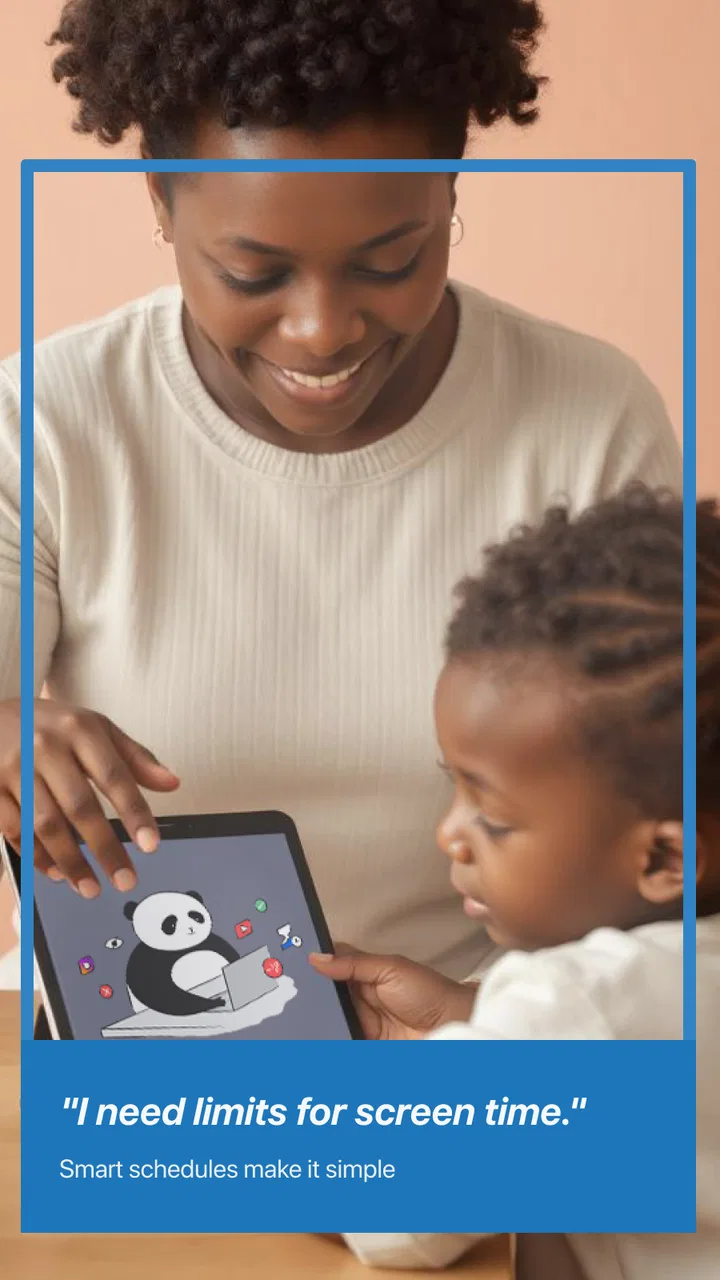
Safes - Parental Control
- 2.9
- Rating
- 1.00M
- Installs
- Free
- Price

 Analysis by App-foxy
When a child starts using a phone for school, games, videos, and messaging, the difficult part is rarely handing over the device. The difficult part is keeping the rules clear when the phone moves between family members, when several adults are involved, or when a young user needs more independence than a simple “no” can provide. I approached Safes - Parental Control with that everyday problem in mind. It is a free parenting app from SternX Technology GmbH, designed to help parents supervise children’s online use.
My first impression is that Safes is aimed at families who want a dedicated parental-control layer rather than relying only on the basic safety settings already built into Android or iOS. It has passed the one-million-install mark, which suggests that many households are at least curious enough to try it. At the same time, its average rating of 2.9 from roughly seven hundred ratings tells me to keep expectations realistic. This is not an app I would install casually and then forget about. It needs thoughtful setup, regular checking, and agreement between the adults using it.
How Safes fits into a shared household
The most useful way to think about Safes is as a family coordination tool, not merely a button that blocks unwanted content. In a household where a child’s phone is sometimes used at home, sometimes taken to school, and occasionally checked by more than one parent, the boundaries around supervision matter as much as the controls themselves. A parent may want visibility, while another adult may prefer fewer restrictions. If those expectations are not discussed first, even a well-configured app can create confusion.
You May Also Like

 Blood Strike: 2.5 Anniversary
Blood Strike’s Loadouts Turn Every Drop Into a Tactical Gamble
A close look at Blood Strike’s custom loadouts: how fast access to signature weapons reshapes its battle royale rhythm, rewards preparation, and narrows the gap between fights.

 Pandora - Music & Podcasts
Pandora’s Music Is Easy to Start, but Harder to Recover
Pandora’s strength is its low-effort path from a seed to a station. Its weak spot is how much confidence it asks you to place in connection, setup, and quiet recovery.

 8 Ball Pool
 Is Built on Rivalries, Rematches, and Routine
A close look at the rivalries, rematches, shared routines, and unanswered safety questions that turn a quick pool match into a persistent mobile community.

 Samsung Music
’s Quiet Strength Is Playing What You Already Own
Its reach comes less from spectacle than from dependable access to a personal library. That simplicity is both the app’s strongest retention engine and its ceiling.

 AccuWeather: Weather Radar
AccuWeather Review: A Quick, Clear Forecast for Everyday Decisions
For everyday plans, the best forecast is the one you can understand quickly. AccuWeather makes rain timing, radar, and local conditions easy to act on, with a few trade-offs.

 Hill Climb Racing
Why Hill Climb Racing Still Turns Crashes Into One More Run
A tiny car, a bumpy hill and one more upgrade: Hill Climb Racing keeps resurfacing because its simple chaos makes every near-miss feel personal.
More From Our News Desk



I would begin by deciding who is responsible for the account and who is allowed to change rules. That sounds obvious, but it is one of the most important practical steps. If one parent adjusts a setting without telling the other, the child may receive mixed messages. Safes can be more useful when the adults agree on a small set of priorities before touching the controls: perhaps school-related use, bedtime routines, or protection from unsuitable online material. Starting with a short list is better than trying to regulate every part of a child’s digital life immediately.
Shared-device situations deserve particular care. If siblings use the same tablet, or if a parent occasionally lends a phone to a child, a parental-control app can become awkward when the device is not permanently associated with one young user. I would avoid treating a communal tablet as though it belonged exclusively to one child. The safer approach is to establish when supervision applies and when the device is being used by an adult. Otherwise, restrictions intended for a child can interfere with normal household use.
This is also where the app’s free entry point is helpful. Families can explore whether its approach fits their routine without committing money at the start. However, the presence of in-app purchases, ranging from about six dollars to around sixty dollars per item, means I would inspect the available options carefully before building the household around a paid capability. The free experience may be enough for a simple arrangement, but families needing a more involved setup should consider the ongoing cost before making Safes their main system.
Setup is really a boundary-setting exercise
The installation itself is only the beginning. A parent should treat setup as a conversation about boundaries, not as a secret technical operation. I would explain to an older child what is being supervised and why, while keeping the explanation age-appropriate for a younger one. This does not mean giving away every administrative detail. It means making the purpose understandable: safety, sleep, school focus, and responsible use rather than punishment.
One practical tip is to configure the child’s device when both the device and the responsible adult are available. Rushing through setup while a child is waiting to use the phone makes it easy to overlook account details or choose rules that are too strict. I would also test the arrangement during a quiet period, then check what the child experiences before relying on it during a school morning or a family trip. A control that looks sensible in a settings screen may feel very different in daily use.
Safes runs on Android devices from version 7.0 onward, so it can be relevant for families keeping an older phone in service as a child’s first device. That is a practical advantage for households that do not want to buy a new handset just to introduce supervision. Still, compatibility with the operating system is not the same as a guarantee that every device behaves identically. Older phones can have their own limitations, and I would leave time for testing rather than assuming that one successful installation proves everything is ready.
The current version is 3.1.6, and I would keep the app updated when updates are offered through the normal app store process. Parental-control software interacts with a sensitive part of a device’s everyday behavior, so an outdated installation can become a source of avoidable friction. I would also check the child’s phone after major operating-system changes, because a device update can alter how background services, notifications, or permissions behave. That is general maintenance, but it matters more here than it does for a casual game.
Coordination matters more than adding restrictions
In my view, Safes is most valuable when it helps adults coordinate rather than compete over who can impose the strictest rule. A household might have one parent who handles school routines and another who handles technology decisions. Before either person changes the configuration, they should agree on what counts as an urgent exception and how the child can ask for one. Without that process, the app may simply move arguments from the living room to the phone.
A useful routine is to review the arrangement at a fixed point in the week. The review does not need to become a formal meeting. A few minutes can be enough to ask whether the child needed access for homework, whether a rule caused trouble during travel, or whether a restriction no longer matches the child’s age. This prevents parents from reacting only when something goes wrong. It also gives the child a predictable way to raise legitimate problems instead of trying to work around the controls.
I would be especially careful in blended families or households where grandparents and babysitters sometimes supervise the child. Not every adult needs administrative access. In fact, giving control to too many people can make the system harder to understand. A better arrangement is to keep responsibility with the parent who can make consistent decisions and explain the basic expectations to other caregivers. Safes should support that clarity, not become a collection of separate rules created by everyone who happens to look after the child.
Another non-obvious trade-off is the difference between visibility and conversation. A parent may feel reassured by having a control app installed, but supervision alone does not teach a child what to do when they encounter a suspicious message, an uncomfortable request, or content that feels wrong. I would use Safes as a prompt for those conversations. If the app becomes the only safety lesson, a child may learn to fear the controls without learning how to make good decisions when no adult is watching.
Age changes what “safe” should mean
The app is rated for Everyone, which makes it approachable for a broad family audience, but the needs of a preschool child and a teenager are obviously not the same. I would not use one fixed philosophy across all ages. Younger children generally need clearer limits and more direct adult involvement. Older children need increasing privacy, explanations, and opportunities to demonstrate responsibility. The settings should evolve as the child does.
For a younger child, the main benefit may be helping parents create a more controlled first experience with connected devices. In that situation, simplicity matters. I would choose only the boundaries that solve a real problem and avoid creating a maze of rules that adults cannot remember. A child who is still learning basic device habits benefits more from consistent expectations than from a complicated collection of restrictions.
For a teenager, the question is less “Can I block everything?” and more “What level of oversight still protects this young person while allowing trust to grow?” Safes may be a reasonable part of that discussion, but I would not present it as a substitute for mutual agreement. Older children are more likely to notice inconsistencies, and hidden monitoring can damage trust if they discover it unexpectedly. A clear explanation of the purpose and a plan for reducing supervision over time can make the arrangement feel fairer.
There is also a difference between safety and convenience. Parents may want to limit distractions during homework, while the child may need access to a video, website, or communication channel for a legitimate assignment. This is why I recommend testing rules against real routines. A control that works beautifully during a normal evening may be inconvenient during exam preparation, travel, or a family emergency. The best configuration is not the most restrictive one; it is the one that protects the child without making ordinary responsibilities unnecessarily difficult.
Where it beats basic device settings, and where it does not
Compared with using only the standard parental controls on a phone or tablet, Safes has the advantage of being focused specifically on parenting. That can make the experience easier for an adult who wants one place to think about a child’s online safety rather than searching through several unrelated operating-system menus. Its parenting category and dedicated purpose are clear strengths for families that want a more deliberate approach.
On the other hand, built-in device controls can be simpler and more tightly integrated with the operating system. They may be the better choice for a parent who only needs a basic screen-time boundary or a straightforward content filter and does not want another account or app to maintain. I would also consider the child’s device mix. A household using several platforms should check whether Safes fits the devices that actually matter, rather than assuming that a parental-control app will provide the same experience everywhere.
Dedicated family-safety services can offer broader dashboards or more elaborate reporting, but they can also be more expensive and more demanding to manage. Safes sits in an interesting middle ground: it is free to start, has a large installed base, and is clearly built around online protection, yet the modest average rating warns me that the experience may not be equally smooth for every family. I would choose it when the app’s particular workflow feels understandable during testing, not simply because it appears in a search result.
One concrete way to evaluate it is to run a short household trial. Install it on the intended parent and child devices, establish only the most important boundaries, and observe a normal week that includes school, leisure, and one unusual situation such as travel. Pay attention to how easy it is for adults to remain consistent and how clearly the child understands what is happening. If the family spends more time correcting confusion than gaining useful control, a simpler built-in option may be the better answer.
Small habits that make the app more useful
My first tip is to document the household rules outside the app in plain language. This is not about creating paperwork. A short note such as “school use comes first” or “ask before installing something unfamiliar” gives adults a shared reference when the settings themselves are not enough. It also prevents a child from interpreting a technical restriction as the entire family policy.
My second tip is to avoid changing several controls at once. If a child suddenly experiences a major difference, neither the parent nor the child will know which rule caused the problem. Adjusting one boundary, observing the result, and then deciding whether another change is needed makes troubleshooting much easier. This is particularly useful on older Android phones, where device behavior can already be less predictable.
My third tip is to pair supervision with a clear exception process. A child should know whether they can ask for temporary access for homework, a journey, or contacting family. The exact process will depend on the household, but the principle is important: a safety app should not turn legitimate needs into a battle. When exceptions are handled calmly, children are less tempted to hide problems or search for workarounds.
I would also review the billing screen before activating any optional purchase. The app costs nothing to download, but its individual in-app purchases can reach roughly sixty dollars. That does not automatically make them poor value, yet it does mean parents should identify what they are paying for and whether the feature solves a genuine household problem. A paid upgrade should reduce friction or add meaningful control, not simply become another subscription-like expense that nobody uses.
Who should choose Safes?
I think Safes is worth considering for parents who want a dedicated online-safety app, have an Android device that meets its minimum operating-system requirement, and are willing to spend time aligning the adults in the household. It may be especially useful when a child is moving from occasional tablet use to having a more personal phone, because that transition benefits from explicit boundaries rather than improvised rules.
I would be more cautious if the family wants completely invisible supervision, instant setup, or a control system that requires no ongoing attention. The rating of 2.9 is a meaningful signal that convenience may vary, and parental-control software is rarely successful when installed once and ignored. Families with very simple needs may be happier with the device’s native tools. Families with complex, multi-platform arrangements should compare carefully before making Safes the center of their household system.
The app’s release on August 30, 2022, also places it in a product category that changes quickly as devices, operating systems, and children’s online habits evolve. I would therefore judge it by current day-to-day behavior rather than by the promise of parental control in general. A tool can be useful and still require regular checking. That is particularly true when a child’s age, school routine, or device changes.
My household verdict
After looking at Safes as a real family tool rather than a magic shield, I see a practical but imperfect option. Its strongest quality is focus: it gives parents a dedicated place to approach online safety with more intention than a quick change in a phone’s settings. The free starting point lowers the barrier to testing it, and support for older Android versions may help families reuse an existing device.
Its biggest challenge is not necessarily the idea behind it, but the responsibility placed on the household. Parents need to agree on boundaries, explain them in an age-appropriate way, test the setup, and revisit it as circumstances change. The app cannot decide how much privacy a teenager should have, which exceptions are reasonable, or how two caregivers should resolve a disagreement. Those are family decisions.
My recommendation is to try Safes when you want a parenting-focused layer and are prepared to manage it thoughtfully. Start small, test it on the devices your child actually uses, and treat the controls as support for conversations rather than a replacement for them. If that approach matches your household, Safes can become a useful part of a balanced digital-safety routine. If you only need one simple limit or dislike maintaining another app, the built-in tools on your device may be a cleaner fit.
FAQs for Safes - Parental Control
01What is Safes - Parental Control and what can parents use it for?
Safes - Parental Control is a family safety app designed to help parents supervise and manage how children use their smartphones and tablets. Its tools may include screen-time scheduling, app and website restrictions, activity reports, location-related features, and alerts. The exact options can depend on the child’s device, operating system, subscription plan, and the permissions granted during setup.
02Does Safes - Parental Control work on both Android and iPhone?
Safes is intended to support parental monitoring across mobile devices, but the available controls are not always identical on Android and iOS. Android generally allows deeper device-management features, while Apple’s system can limit certain monitoring functions because of its privacy and security rules. Before downloading, parents should check the current compatibility list and install the appropriate parent and child applications.
03Can Safes block apps, websites, and screen time?
The app is built to help parents create healthier digital routines by limiting access to selected applications, websites, or device functions. Parents can typically set daily limits, bedtime schedules, study periods, or temporary blocking rules. However, restrictions may require accessibility, usage-access, device-management, or similar permissions, and some controls may behave differently depending on the child’s operating system.
04Does Safes - Parental Control track a child’s location?
Safes may provide location and family-safety features, allowing parents to view a child’s reported position or receive related alerts when the necessary permissions are enabled. Location accuracy depends on GPS, Wi-Fi, mobile networks, battery level, and the device’s internet connection. Parents should explain location monitoring to children and review the app’s privacy policy before activating these features.
05Is Safes - Parental Control free, and what should I know about privacy?
Safes may offer a free installation or trial period, but advanced monitoring and management tools can require a paid subscription. Pricing, renewal terms, and available features should be checked in the relevant Google Play or App Store listing. Because the service can process information about device activity, apps, web use, or location, parents should review permissions, data practices, cancellation rules, and account-security options before subscribing.
Pros
- Clear activity reports help parents understand daily device use.
- App blocking can be customized for different children and schedules.
- Location features may provide extra reassurance when children are away.
- The interface is simple enough for non-technical parents to use.
- Useful controls support healthier screen-time routines at home.
Cons
- Some advanced controls may require a paid subscription.
- Children could attempt to bypass restrictions on certain devices.
- Location tracking can affect battery life and mobile data usage.
- Setup may take time when managing several children or devices.
- Features and reliability can vary depending on the child’s device system.

Safes - Parental Control
Gallery